
SPICe+ Form Sent for Resubmission? How to Respond to MCA Incorporation Queries
20 Nov 2026 - Licenses
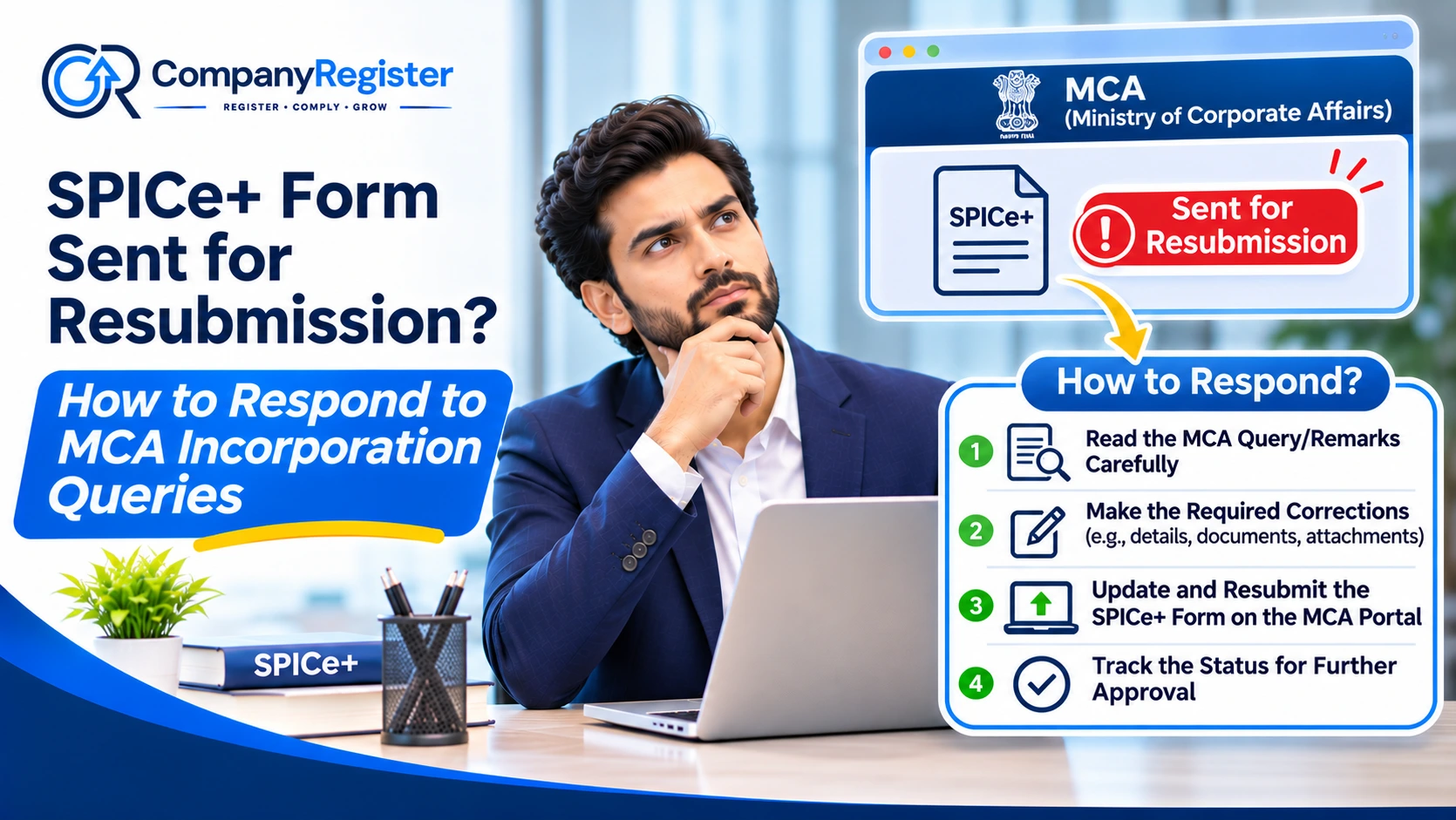
If MCA has sent your incorporation filing for SPICe Plus resubmission, read every remark on the existing transaction, correct the relevant information or attachments, and submit the corrected filing through MCA21 within the deadline shown for your case. A resubmission is an opportunity to address a query; it is not yet an incorporation approval.
Start with the transaction record rather than a fresh application. The right response depends on what the examining officer has asked, which part of the filing is affected and whether the portal still permits resubmission. This guide helps you organise the work, understand likely costs and decide when a professional should handle the correction.
1. SPICe Plus resubmission: when can you respond?
1.1 Read the status before choosing a route
A company incorporation form returned for correction is different from a filing that is simply awaiting examination. Look for the status and the accompanying remarks on the MCA21 transaction record. The remarks tell you what needs attention; a generic status alone may not explain whether the issue is an attachment, an entry, a declaration or a linked form.
For the existing filing to be your resubmission route, the transaction must show that a response is available and the applicable response window must remain open. The person handling the filing also needs access to the relevant account and transaction, as well as the ability to arrange the necessary signatures. These are operational prerequisites, separate from the company’s underlying eligibility to be incorporated.
If the record shows a final rejection, or the resubmission option is no longer available, do not assume that editing the old filing will resolve it. Identify the recorded outcome and the route available on MCA21 for your circumstances before committing money to another filing. A pending status, meanwhile, is not an instruction to alter a submitted application.
1.2 Check the scope of the query
One specific point: A remark may identify a particular entry or attachment. Your response should address that point and any other part of the filing affected by the change.
Several points: Treat each remark as a separate item. One replacement attachment does not necessarily answer an unrelated question about a declaration or company details.
Unclear scope: If the wording does not identify what is deficient, preserve the exact remark and seek clarification through the appropriate MCA support channel or from the professional responsible for the filing.
Substantive change: A proposed change in ownership, company structure or business objects may require more than correcting a typo. Determine its effect on the incorporation filing before proceeding.
An MCA incorporation query can concern the proposed company, its subscribers, directors or registered office. It does not by itself establish that an individual is ineligible or that incorporation has been refused. Equally, receiving a resubmission opportunity does not guarantee that the revised application will be approved.
2. Documents to prepare for an MCA query
There is no single set of SPICe Plus resubmission documents for every company. Assemble the evidence that answers the actual remarks, together with the original filing set so that you can see what the examiner reviewed. The list below distinguishes frequently relevant material from evidence needed only in particular cases.
Original submission and MCA remarks: Keep the filed application, linked forms, attachments, payment record and service request number, or SRN. These establish the version under review and provide a reference for the response.
Identity and address evidence for the person concerned: Where the query relates to a subscriber or director, use the applicable proof supporting the details to be filed. Supply a legible electronic copy in the format accepted by the portal.
Registered-office evidence: Where the office is questioned, assemble the proof of the address and evidence of the company’s right to use the premises, as applicable to the arrangement. The evidence should support the office address entered in the filing.
Constitution documents: The memorandum of association and articles of association state the company’s objects and internal rules. Keep the relevant filed or proposed versions available if the remark concerns those documents.
Declarations and consents: Retain the applicable declarations and director consents in the form required for the filing. Their purpose is to support the statements and appointments made in the incorporation application.
Specific supporting evidence: A consent, approval or other explanation may be needed where the particular remark calls for it. Its relevance comes from the proposed facts and the query, not from a universal checklist.
Use readable files with complete pages and clear names in your working folder. MCA21 controls the file formats, size limits and attachment fields available in the relevant form; organise the files around those fields rather than combining unrelated material into a file the form does not accept.
A response note can be useful when the filing provides an appropriate place to explain a correction. Keep it factual: identify the remark, state what has changed and point to the supporting attachment. An explanation does not replace a document or declaration that the applicable filing requires.
2.1 Keep the filing records together
Maintain a working copy of the response separately from the original. Record who supplied each replacement document and which version was used. This is especially useful when a founder, an office owner and a filing professional are all contributing information: it prevents an older attachment from being mistaken for the agreed version.
For a document issued or executed outside India, execution and authentication requirements can depend on the circumstances. Do not assume that a domestic scan satisfies the same requirements. If the query concerns overseas subscribers or documents, establish the applicable requirements before arranging replacement paperwork.
3. SPICe Plus form resubmission process: step by step
3.1 Prepare a remark-by-remark response
Before editing, make a small response matrix. Give each MCA remark its own row, identify the affected field or attachment, record the proposed correction and assign a person to provide the missing information. Add a final column for the evidence or explanation that will answer the remark.
This matrix is a working tool, not a substitute for the MCA filing. Its value is that the person submitting can compare the finished application with the complete query rather than relying on memory. It also exposes a change that has consequences for more than one form.
3.2 Correct and submit through MCA21
Open the transaction: Sign in to MCA21 and locate the incorporation transaction using the account and SRN associated with it. Open the resubmission record and read the remarks in full.
Identify the editable filing: Use the resubmission route available for that transaction. Determine whether the remark relates to SPICe+ Part B, an attachment or a linked form before changing anything.
Make the corrections: Enter the agreed information and replace or add evidence in the relevant fields. Where the portal provides an appropriate response field, explain how each remark has been addressed.
Review dependent forms: Check whether the corrected information also appears in the applicable linked forms, including e-MOA, e-AOA, INC-9 or AGILE-PRO-S. Use the versions and resubmission options made available for your filing; applicability varies by case.
Complete validation and signatures: Follow the portal’s validation and signing requirements for the corrected forms. Arrange the required digital signatures and professional certification where the form calls for them.
Submit and retain the record: Complete the portal submission and any payment displayed. Save the acknowledgement, transaction details and corrected filing set.
Monitor the outcome: Return to the transaction record for the next status or communication. Treat the filing as under consideration until MCA records its decision.
For SPICe Plus Part B resubmission, a change to a central detail can have effects beyond Part B. For example, a corrected company detail may also appear in a linked form or declaration. Reviewing those dependencies is a separate task from answering the original remark: it helps ensure that the final set describes the same proposed company.
INC-9 and AGILE-PRO-S should not be treated as interchangeable documents. INC-9 relates to declarations, while AGILE-PRO-S is a linked application for specified registrations and services. The portal’s filing set and the company’s circumstances determine what is applicable and what must be corrected or signed again.
Do not assume that a saved draft is a completed MCA incorporation resubmission reply. The submission record and acknowledgement are the evidence that the online action was completed. If the portal returns a validation message, resolve it within the available route rather than treating the attempted upload as a filing.
3.3 Record the outcome
Give the founder a copy of the acknowledgement and a concise note of the changes made. If someone else has filed on the founder’s behalf, agree who will watch the transaction and who will receive further communications. Keep the corrected set available for comparison if MCA raises another point or issues its decision.
If a technical problem prevents submission, preserve the error message, the time of the attempt and the transaction reference. Use MCA’s support facilities for the technical issue. An error report is useful evidence of the problem, but it should not be assumed to extend the response window.
4. Government charges and professional fees
4.1 Separate portal charges from service fees
The amount paid for the original incorporation and any amount shown during a resubmission are government transaction charges. A professional’s charge for reviewing remarks, revising forms or coordinating signatures is a separate commercial fee. The supplied evidence does not establish a single government resubmission amount that applies to every transaction, so use the amount, if any, displayed for your filing rather than a quoted flat rate from an unrelated case.
Cost item | How to assess it |
|---|---|
Original government filing payment | Refer to the payment record for the existing transaction; distinguish it from any later charge. |
Charge shown during resubmission | Read the MCA21 payment screen for the transaction before completing payment. |
Fresh filing, if required | Assess the applicable portal charges for the new route; do not assume the earlier payment will be reused or refunded. |
Professional work | Request a written quote stating whether review, drafting, linked-form corrections, signatures and follow-up are included. |
Third-party document work | Budget separately for obtaining or executing evidence if the specific query requires it. |
Ask whether a quoted professional fee covers one response or further work if MCA raises another query. Also establish who will pay government charges and whether they are included in the quote. A low initial service price can be less useful than a clear scope when the correction needs several people’s input.
Keep the portal receipt separate from the service invoice. That distinction makes it easier to account for the expenditure and understand which part relates to government processing rather than professional time.
5. Deadline and expected timeline
5.1 Work backwards from the displayed deadline
The MCA resubmission deadline controls the time available to respond to the particular transaction. Use the date and instructions shown with the filing or communication. Do not transfer a deadline from a different service, a name application or an online discussion to your incorporation query.
Set an internal target before the displayed deadline. Allow time for the people involved to supply information, review changes and sign the corrected forms, as well as for any technical difficulty. If an attachment needs to be obtained from an owner or another organisation, ask for it early rather than scheduling the response around the last day.
Missing the available window can affect whether the existing resubmission route remains usable. The consequence depends on the transaction and the applicable rules; the next action should follow the status recorded on MCA21 rather than an assumption that the filing can simply be reopened.
5.2 What affects the next decision
There are two distinct periods: the time the applicant takes to prepare and submit a response, and the time MCA takes to examine it. The first is partly within your control. The second depends on the filing, the nature of the correction, examination workload and whether further clarification is required.
No reliable current processing benchmark has been supplied for this specific resubmission route. Plan for uncertainty rather than promising a customer, lender or investor that incorporation will be completed by a particular date. An acknowledgement confirms submission; it does not tell you when the company will be incorporated.
Use the transaction status as the main milestone after filing. If a further remark appears, assess it on its own terms. If a decision is recorded, retain the decision and the final documents with the company’s incorporation records.
6. Mistakes that can keep a query open
6.1 Correct the cause, not only the remark
MCA CRC resubmission remarks may be brief. A useful response connects the wording to the underlying filing rather than merely uploading a new file with the same problem. The following failure patterns call for different corrections.
Inconsistent personal details: A name or other identifier may differ between the form and supporting evidence. Establish the correct legal details and the reason for the difference, then correct the affected entries or supply the appropriate supporting evidence. Simply choosing one spelling without resolving its basis can create another inconsistency.
Office evidence does not support the stated arrangement: An address document may identify premises but not explain the company’s right to use them. Obtain evidence appropriate to the actual arrangement and ensure the filing reflects that arrangement.
Objects and activity do not align: A broad description in one part of the filing may be inconsistent with the proposed objects elsewhere. Review the intended activity and revise the relevant wording consistently, taking account of any approvals applicable to that activity.
Unreadable or incomplete attachment: A scan may omit a page, signature or information needed to evaluate it. Replace it with a complete, legible copy rather than adding an explanatory note about a document the examiner cannot read.
Changed data left in a linked form: A correction in the main application may leave a declaration or linked application referring to the earlier information. Review the affected filing set and complete the required validation and signing again where applicable.
Only part of a multi-point query answered: Responding to the easiest item can leave the application deficient. Use a separate response against each remark and check that every supporting item is included.
Response unsupported by the facts: An explanation cannot make an inaccurate statement true. Resolve the underlying fact with the person concerned before submitting a declaration or certified filing.
Do not alter a signed document, reuse a signature on a changed version or make a declaration on someone’s behalf merely to meet the deadline. The corrected filing must go through the applicable signing and certification process.
Some issues are suitable for a founder to coordinate; others warrant a legal or filing professional. Seek targeted help when the remark concerns a substantive eligibility question, overseas execution, an unclear regulatory approval or a correction that changes the proposed company’s structure. Give the adviser the exact remark and filed version so the advice addresses the actual transaction.
7. After incorporation: obligations to put on your calendar
Resubmission is part of the company registration process; statutory obligations after incorporation are a separate stage. Once the certificate of incorporation is issued, retain it and the final constitutional documents with the company’s records. Use the actual incorporation date when planning obligations measured from that date.
7.1 First decisions and statutory filings
Registered office: Section 12 of the Companies Act, 2013 requires a company to have a registered office capable of receiving communications. Apply the section’s verification and subsequent notice requirements to the company’s circumstances.
First board meeting: Section 173 requires the first meeting of the board within 30 days of incorporation. Arrange notice and an agenda, and record the decisions in the company’s minutes.
First auditor: Section 139 sets out requirements for appointment of the first auditor, with different provisions for government and other companies. Identify the provision applicable to the new company and record the appointment.
Commencement declaration: Section 10A applies to a company having share capital and requires a declaration concerning subscriber payment before commencement of business or exercise of borrowing powers. The section specifies a 180-day period from incorporation for filing the declaration.
Other registrations: Review the outcomes of any linked registration applications and the company’s actual business requirements. An incorporation certificate should not be treated as proof that every separate licence or registration needed for the activity has been obtained.
Assign an owner to each obligation and retain evidence of completion. The directors should also decide who will maintain statutory records and watch recurring filing dates. For founders seeking help beyond the query itself, Company Register’s Private Limited Company Registration service is relevant to that incorporation route.
8. Choose your next move
Open the transaction: Note its status, exact remarks and displayed response deadline. Decide whether the existing record offers a resubmission route.
Assign the work: Prepare a response against each remark and identify who will supply the evidence and signatures. Handle straightforward coordination yourself; obtain targeted assistance for a substantive or unclear issue.
File and track: Submit the corrected set through the available MCA21 route, retain the acknowledgement and assign someone to monitor the outcome.
Begin the process online via the official government portal, or engage Company Register for end-to-end assistance
Need personalised advice for your business?
Share your query and our compliance team will connect with you shortly.
Frequently Asked Questions
What does SPICe+ sent for resubmission mean?
Where can I find the MCA resubmission remarks?
Does a resubmission require a fresh application?
How do I know my MCA resubmission deadline?
Which documents should I upload for a SPICe+ query?
Must linked forms be reviewed after a correction?
How much does SPICe+ resubmission cost?
Is the company incorporated once the corrected filing is submitted?
Recent Blogs
 20 Nov 2026 - Licenses
Company Incorporation Application Pending With MCA? What to Check Before Following Up
Check your MCA incorporation status, SRN and payment before following up. Understand SPICe+ documents, costs, processing stages and next steps.
 20 Nov 2026 - Licenses
Company Name Approved but Incorporation Not Filed? What Happens If the Name Reservation Expires?
Learn when a reserved company name lapses, whether to extend or reapply, and what to prepare for SPICe+ filing, fees and incorporation.
 20 Nov 2026 - Licenses
Already a Director in Another Company? Can You Become a Director in a New Company?
See Section 165 limits, eligibility, DIN records, SPICe+ and DIR-12 steps, costs and continuing duties before taking another directorship.